
Hospital Patient Help App Case Study | Nurse Call + Housekeeping + Canteen
Hospital Patient Help App
A multi-app hospital assistance platform that replaces manual bedside calls with real-time digital requests—covering Doctor/Nurse calls, Housekeeping requests, and Canteen food ordering, supported by an Admin portal for room onboarding and operational oversight
Single-window support
Patients request help in one tap instead of multiple calls
Faster response loops
Push notifications route requests to the right team instantly
Closed-loop requests
Ops visibility
Dashboards for pending/aging requests and canteen orders
Primary Objective
Reduce patient friction and staff overhead by digitizing bedside help requests and canteen orders using secure, role-based apps with real-time routing and traceable closures.
Client
Anonymized HealthTech
Region
Middle East
Timeline
4 months
Products
Patient App, Nurse App, Doctor App, Housekeeping App, Canteen Portal, Admin Portal
Stack:
React Native, React, Node.js, MySQL, Firebase, Chakra UI
Executive Summary
Hospitals frequently rely on manual calls for nurse assistance, doctor attention, housekeeping, and food ordering. For patients—especially post-surgery or with limited mobility—this is stressful. For staff, it creates interruptions, missed calls, and limited accountability. handoff introduces delay and risk.
What we built
- Patient mobile app for one-tap Doctor/Nurse/Housekeeping requests and canteen ordering.
- Nurse + Doctor + Housekeeping apps that receive real-time notifications with patient and room context.
- Closure-code workflow to verify service completion and reduce disputes.
- Canteen web portal to manage menu items, availability, and delivery by room.
- Admin portal to create rooms, onboard patients, manage users/roles, and monitor request SLAs.
The Challenge
Prior to digitization, patients had to call different departments for each need. In high-volume wards, calls are missed or delayed, and it becomes hard to know what is pending, what was completed, and how long each request took.
Operational pain
- Multiple phone calls: one for nurse, one for housekeeping, one for canteen, etc.
- Interrupt-driven work: staff get calls during procedures or rounds; patients re-call repeatedly.
- No service accountability: difficulty proving if/when a request was served.
- Manual coordination: canteen orders and room deliveries rely on verbal updates and paper notes.
Why this impacts outcomes
- Patient experience: higher anxiety and reduced satisfaction due to delays.
- Nursing load: time spent answering calls rather than delivering care.
- Operational blind spots: no dashboards for aging requests or peak load analysis.
- Process risk: missed requests can become safety and quality issues.
Goals & Success Criteria
The client wanted a secure, maintainable, real-time system that makes bedside requests simple for patients while giving staff clear context and hospitals measurable operational visibility.
Business goals
- One-tap patient support: Doctor/Nurse/Housekeeping requests from a single interface.
- Phone-free canteen ordering: browse menu, place order, and track delivery.
- Closed-loop completion: ensure requests can’t be closed without patient confirmation.
Technical goals
- Availability: reliable push notifications and state synchronization.
- Security: role-based access + least privilege across apps and portals.
- Maintainability: modular services, common UI patterns, shared components.
- Observability: logs, request lifecycle events, dashboards for SLA monitoring.
Operational levers that reduce cost
- Reduced call handling: less time spent answering and routing calls across departments.
- Fewer repeat calls: notifications + status updates reduce patient follow-ups.
- Better shift planning: request analytics enables staffing decisions during peak hours.
- Menu and inventory efficiency: canteen portal avoids manual order capture errors.
Solution Overview
We built a multi-tenant platform designed for hospital environments. The system uses role-specific applications so each user sees only what they need: patients request support, staff receive actionable notifications, and admins manage rooms, onboarding, and operational oversight.
High-level Architecture
					Mobile Apps (React Native)
- Patient App: requests + food ordering
- Nurse App: notifications + close with code
- Doctor App: notifications + snooze
- Housekeeping App: notifications + close with code

Web Portals (React + Chakra UI)
- Canteen Portal: menu + order queue + fulfillment
- Admin Portal: room setup + patient onboarding + users/roles + dashboards

Backend (Node.js)
- Auth & RBAC service
- Request lifecycle service (create/assign/ack/close)
- Order management service (canteen)
- Notification service (push)
- Admin & configuration service
- Audit events + reporting

Data Layer
- MySQL: core records (users, rooms, requests, orders, status history)
- Firebase: push notifications + near real-time sync helpers (FCM + optional Firestore)

Key patterns
- Event-driven request updates
- Idempotent write APIs for mobile retries
- Time-based SLAs and escalation rules
This architecture is intentionally designed to scale from a single hospital to multiple facilities (multi-tenant). If you want, we can add a Mermaid diagram version for your technical docs.
Modules & Workflows
The system is split by role to minimize complexity and reduce training time. Below is the functional scope and key workflows.
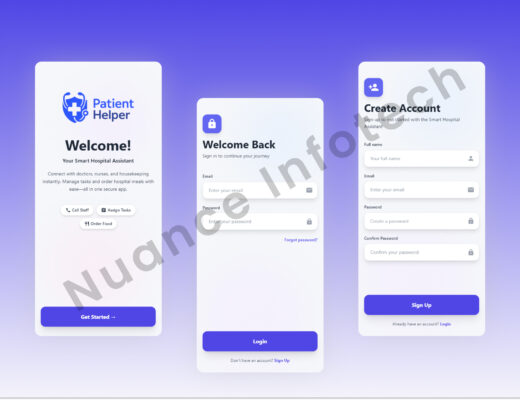
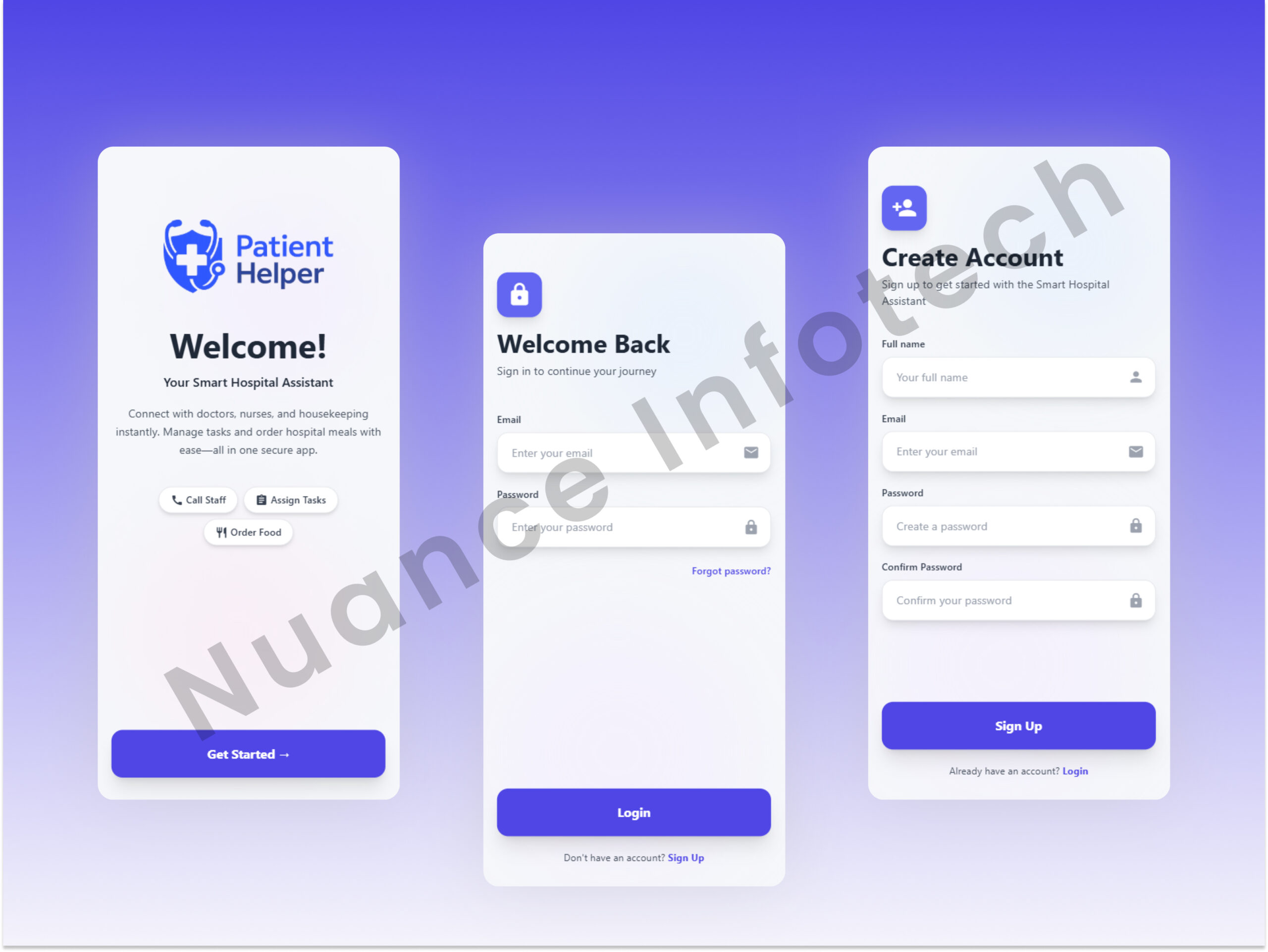
Patient App
- Room onboarding login: patient account linked to room/bed and care team context.
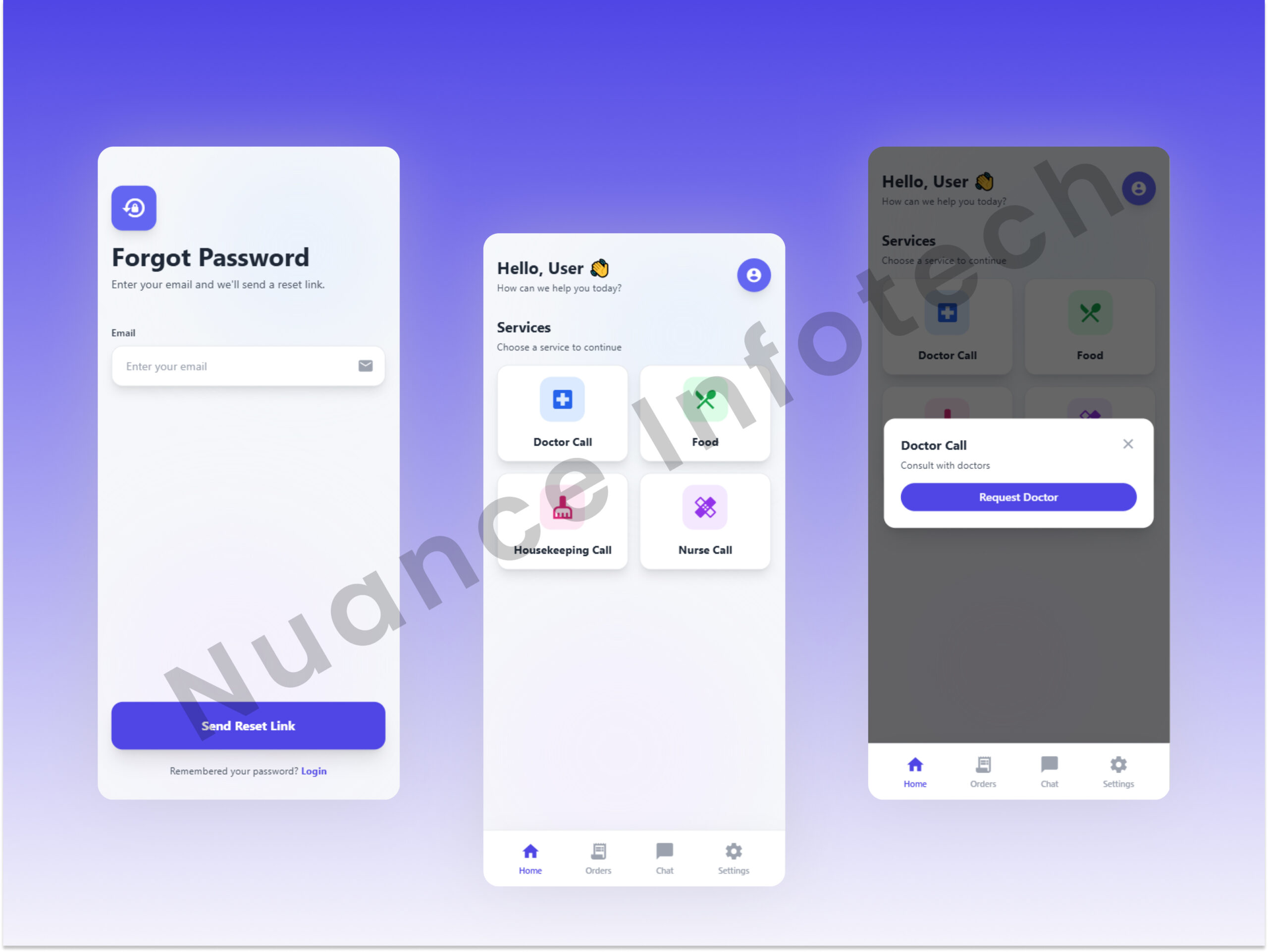
- One-tap requests: Call Doctor, Call Nurse, Request Housekeeping.
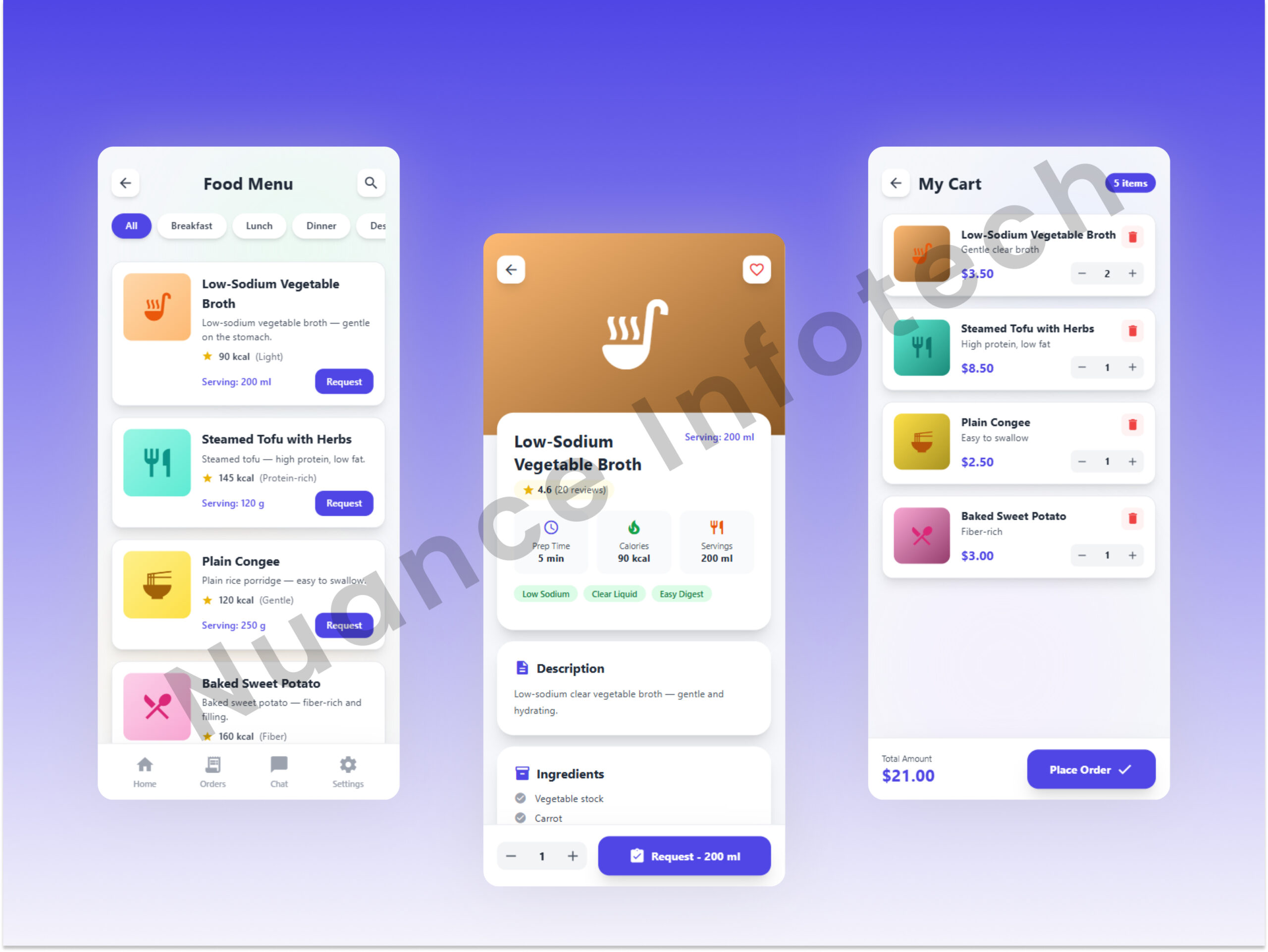
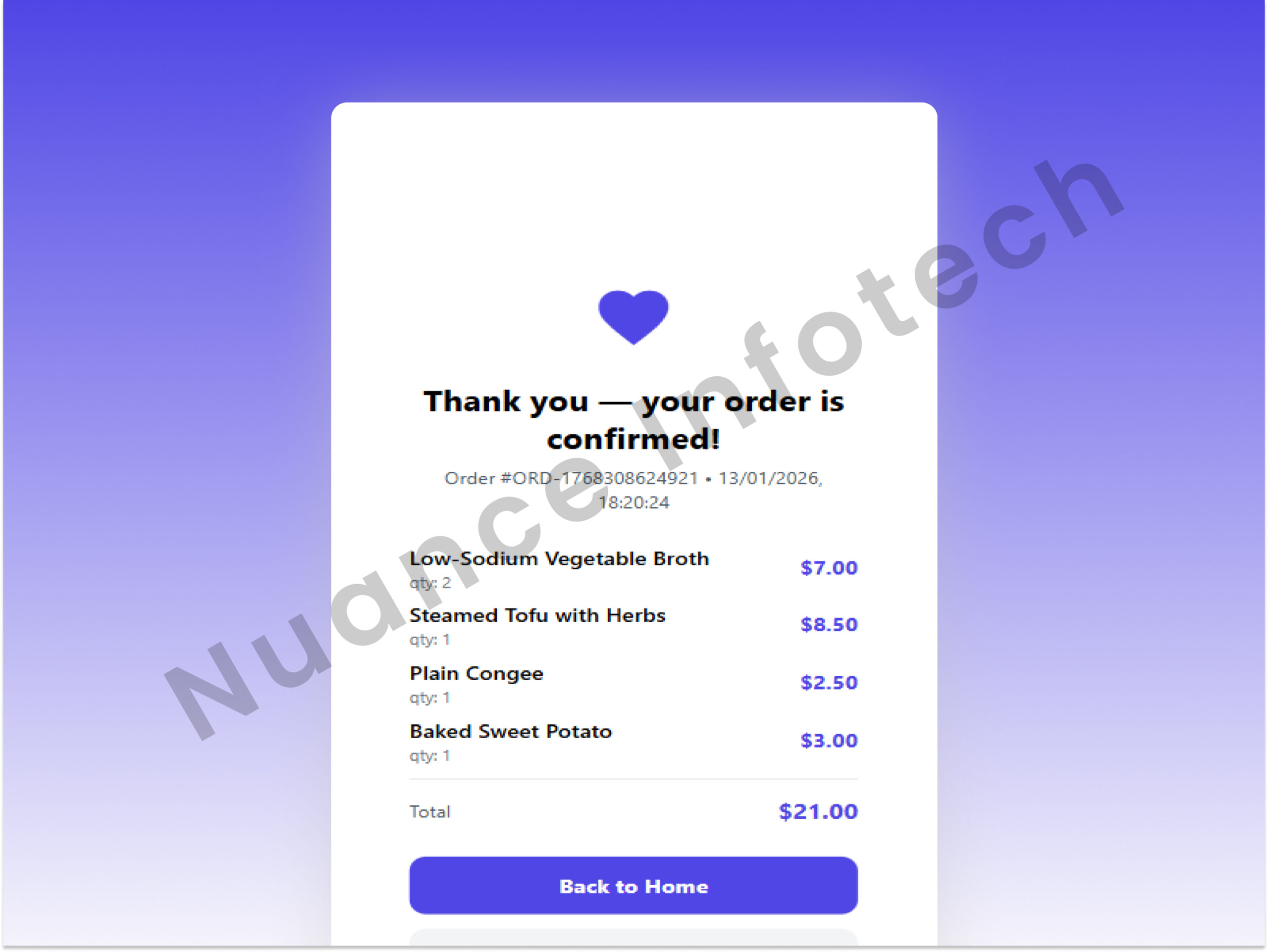
- Canteen ordering: browse menu, add items, confirm order, view status.
- Request status: submitted → accepted → in-progress → completed (with closure).
Doctor App
- Push notification with patient name/room/request time
- Snooze option to reduce alert fatigue
- No extra screens beyond request view (per client requirement)
Nurse App
- Notification includes patient identity, room, and request category
- Closure code: patient shares a code; nurse enters it to close
- Status lifecycle updates recorded for SLA analytics
Housekeeping App
- Notification includes room + patient info + request type
- Close request using patient-provided code
- Optional categorization (cleaning/linen/waste/other) for reporting
Canteen Portal
A web portal for canteen operators to receive orders by room, manage menu availability, and track fulfillment. Built for speed during peak hours.- Order queue by status (new → preparing → out for delivery → delivered)
- Menu management (add/remove items, mark out-of-stock)
- Room-based delivery information to reduce mis-deliveries
Admin Portal
The operational command center. Admins create rooms, onboard patients, assign staff pools, and monitor request volumes and SLA adherence.- Room management: create rooms/beds, activate/deactivate, assign departments.
- Patient onboarding: generate login credentials and link to room/bed.
- User & role management: doctors, nurses, housekeeping, canteen operators, admins.
- Routing rules: map rooms/wards to nurse stations or housekeeping zones.
- Dashboards: open requests, average response time, aging buckets, peak hour trends.
- Audit logs: who created rooms/users, who closed requests, and timestamped lifecycle history.
Request lifecycle model
A consistent state machine across Nurse/Housekeeping/Doctor requests reduced confusion and improved reporting.
Automation
| State | Triggered by | Notes |
|---|---|---|
| Created | Patient | Stored with timestamp, room, category, and requester identity |
| Notified | System | Push notification to the assigned role/team with contextual payload |
| Acknowledged | Nurse/Housekeeping/Doctor | Optional for doctor (minimal flow), recommended for others |
| In progress | Staff | Helps operations see what’s being handled vs waiting |
| Closed | Staff + Patient | Closure code ensures patient-confirmed completion |
Security, Privacy & Reliability Engineering
In hospital environments, systems must be reliable during peak hours and secure by default. We applied practical controls aligned to healthcare best practices, keeping the design simple for adoption.
Security & access control
- Role-based access: each app enforces least privilege (patient vs nurse vs doctor vs housekeeping).
- Session security: short-lived tokens, secure storage on device, automatic logout on policy.
- Data minimization: only essential patient details in staff notifications.
- Auditability: lifecycle events recorded for compliance and dispute resolution.
- Secure media: optional presigned URLs for any attachments (if enabled later).
Reliability & observability
- Push delivery strategy: FCM with retry patterns and fallbacks for transient network failures.
- Idempotent APIs: mobile retries do not duplicate requests or orders.
- Queue-driven spikes: burst handling for simultaneous requests (meal times, shift change).
- Operational dashboards: open/aging requests; SLA and peak hour visibility.
- Logging: trace request IDs across API + push + client for rapid troubleshooting.
Delivery Process
We delivered iteratively with a dedicated domain team: defined request taxonomy first, built the patient experience, then added staff apps and portals, and finally hardened reliability, auditability, and reporting.
Phased roadmap
- Phase 1: Product discovery, workflows, request taxonomy, and UX prototypes.
- Phase 2: Patient app + basic request creation and canteen ordering.
- Phase 3: Nurse/Doctor/Housekeeping apps + notifications + closure-code mechanism.
- Phase 4: Admin portal + canteen portal + dashboards, reliability hardening, QA and release.
Testing & QA
- Request lifecycle tests: create/notify/ack/close
- Push notification tests across Android/iOS and varying network states
- Order flow tests: menu availability, room delivery, cancellation edge cases
- Role-based permission tests for each app and portal
Outcomes & Impact
The platform reduced manual calling and made bedside support measurable. Hospitals gained visibility into request patterns and response behavior, while patients received a calmer, more consistent experience.
Business impact levers
- Time saved: patients no longer need multiple calls; staff receive structured requests instantly.
- Reduced administrative load: less call answering, routing, and follow-up coordination.
- Fewer missed requests: notifications + status dashboards reduce “lost in transit” issues.
- Operational insights: peak hour and request category analytics enable better staffing decisions.
Client feedback (representative)
“This replaced the constant back-and-forth calls with a single app for patients. Our teams now get clear, contextual requests with proper closure confirmation, and admin dashboards make it easier to identify bottlenecks.”
*Testimonial written in anonymized form based on expected operational outcomes and stakeholder feedback patterns.
Technology Stack
Core stack used
Data split rationale: MySQL holds the durable operational record; Firebase supports push delivery and real-time sync patterns where needed.
Lessons Learned & Best Practices
Building hospital bedside systems is not only about features—it’s about reliability, simplicity, and operational adoption. These were the most important learnings.
1) Closed-loop workflows reduce disputes and improve trust
- Closure codes created patient-confirmed completion and reduced false closes.
- Status history helped explain what happened and when—useful for audit and quality review.
- Structured request categories enabled consistent analytics.
2)Role-specific apps beat “one huge app” in hospitals
- Doctors need minimal interruption; nurses need actionable details; housekeeping needs fast closure.
- Separate apps reduced training and reduced accidental access to unrelated features.
- RBAC becomes simpler and safer with smaller role surfaces.
3) Real-time reliability is a product requirement
- Push notification strategies must consider offline devices and network jitter.
- Idempotency prevents duplicate requests when mobile clients retry.
- Dashboards help ops teams catch backlog early instead of reacting late.
4) Data governance should be built-in from day one
- Audit trails are not optional for hospital operations and quality management.
- Data minimization in notifications reduces privacy risk.
- Location/ward-based routing prevents mis-delivery of requests and orders.